ToToTEK.COM Forum Index ToToTEK.COM
Help & Support Forum
 
 FAQFAQ   SearchSearch   MemberlistMemberlist   UsergroupsUsergroups   RegisterRegister 
 ProfileProfile   Log in to check your private messagesLog in to check your private messages   Log inLog in 

Doctor PC Jr loads games from CD

 
Post new topic   Reply to topic    ToToTEK.COM Forum Index -> Copiers and Hardware
View previous topic :: View next topic  
Author Message
system64


Joined: 17 May 2009
Posts: 132

PostPosted: Sun Apr 28, 2024 9:54 pm    Post subject: Doctor PC Jr loads games from CD Reply with quote

I've just found this video on Youtube:
https://www.youtube.com/shorts/on5g_PNjesY

The Dr PC Jr loads a game from a Bung CD7 drive. Impressive.

Does anyone know how to burn a disc for the Dr PC Jr and how to load it?
Back to top
View user's profile Send private message
NorQue


Joined: 08 Jul 2006
Posts: 70

PostPosted: Wed May 01, 2024 7:23 am    Post subject: Reply with quote

Bung Dr PC Jr is a Game Master with attached Famiclone, so games converted to Game Master format should run. CD most likely has to be mastered in plain Mode 1 ISO 9660 format with 8.3 filenames, et cetera, like for the GDSF7 and V64. I would assume if a game runs from floppy it should also run from CD.

Dr PC Jr and Game Master are on the list of copiers I really want to get my hands on one of these days.
Back to top
View user's profile Send private message
CZroe


Joined: 29 Aug 2021
Posts: 24

PostPosted: Tue May 07, 2024 5:46 pm    Post subject: Reply with quote

Because the Doctor V64 also has a built-in Famiclone, I do wonder if it will boot the same games from CD as “R64” files.
Back to top
View user's profile Send private message
system64


Joined: 17 May 2009
Posts: 132

PostPosted: Thu Jun 05, 2025 3:27 pm    Post subject: Reply with quote

It works with my setup Very Happy

Instructions:
Rename your ROMs to FC1001, FC1002, and so on (no file extension).

I've used FC1xxx for 1Mbit files, FC2xxx for 2Mbit files and so on. But I think it doesn't matter, because the Dr PC Jr seems to treat every ROM as 8Mbit.

burn the files with imgburn on to a CD-R with the following settings:

Tab Options:
Data Type: MODE1/2048
File System ISO9660

Tab Labels:
NES

Tab Advanced -> Restrictions -> ISO9660
File Name Lenght: Level 1 - 11 Characters, 8.3 Format
Character Set: Standard
Check: Allow Files Without Extensions

notes:
- Do NOT use any folders. All files should be in the root directory of the disc.
- Do NOT enable Joilet or UDF!
- ROMs must have a header/format wich is compatible with the Dr PC Jr. Before wasting CD-Rs, try to load the game via Floppy Disk.
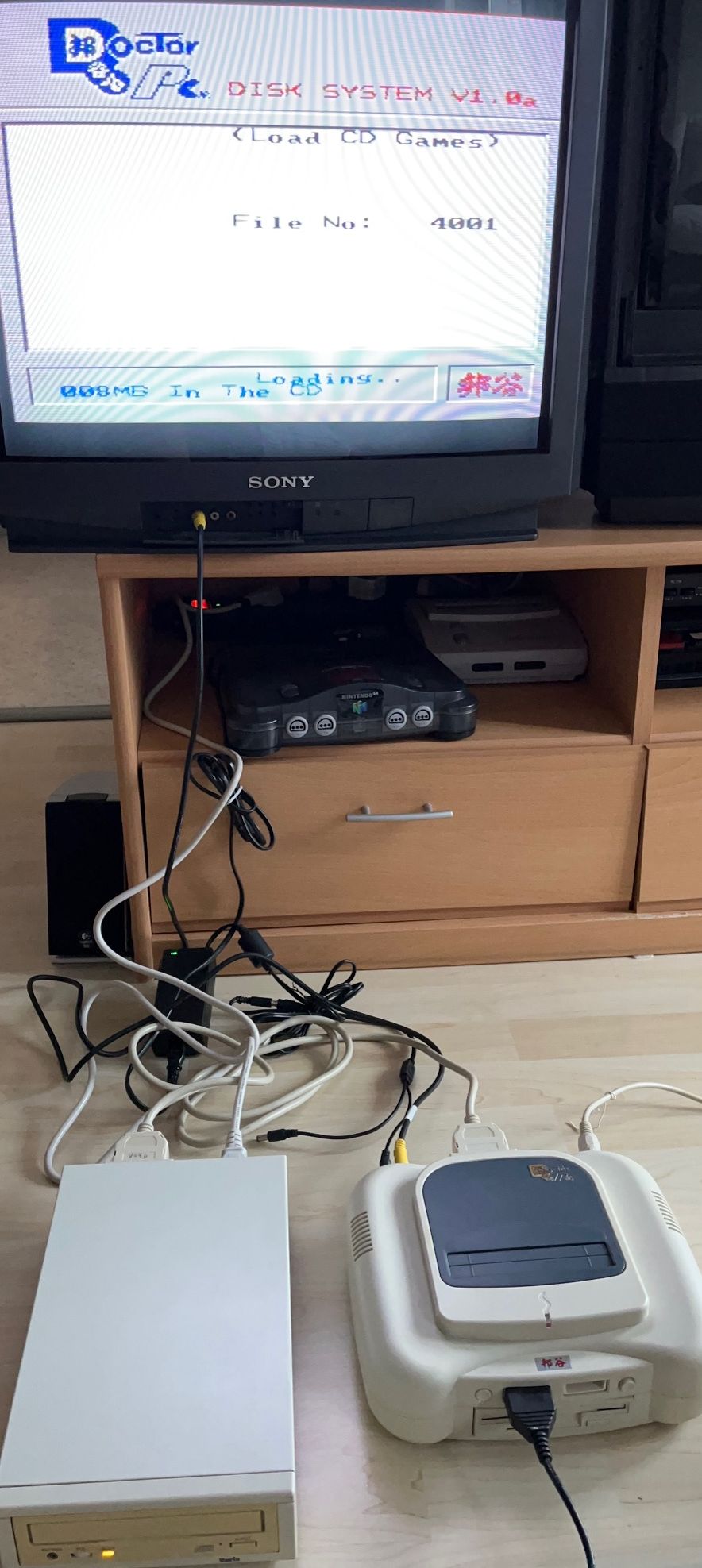
- I do not use the Original Bung CD7. I have a selfmade pcb with a Panasonic MKE drive.
- CD drive will be automatically recognized when the Dr PC Jr is powered on. Just make sure the CD-ROM has power before you turn on the Dr PC Jr.


IMG_1406.jpg
 Description:
Dr PC Jr loading game from a CD.
 Filesize:  184.12 KB
 Viewed:  2505 Time(s)

IMG_1406.jpg


Back to top
View user's profile Send private message
Display posts from previous:   
Post new topic   Reply to topic    ToToTEK.COM Forum Index -> Copiers and Hardware All times are GMT
Page 1 of 1

 
Jump to:  
You cannot post new topics in this forum
You cannot reply to topics in this forum
You cannot edit your posts in this forum
You cannot delete your posts in this forum
You cannot vote in polls in this forum
You can attach files in this forum
You can download files in this forum


Powered by phpBB © 2001, 2005 phpBB Group