| View previous topic :: View next topic |
| Author |
Message |
DoneyOne
Joined: 12 Jun 2011
Posts: 5
Location: Near Rotterdam, Holland.
|
 Posted: Mon Jun 13, 2011 12:28 am Post subject: Weird floppy problem SPFXT2, need help. Posted: Mon Jun 13, 2011 12:28 am Post subject: Weird floppy problem SPFXT2, need help. |
 |
|
Hello,
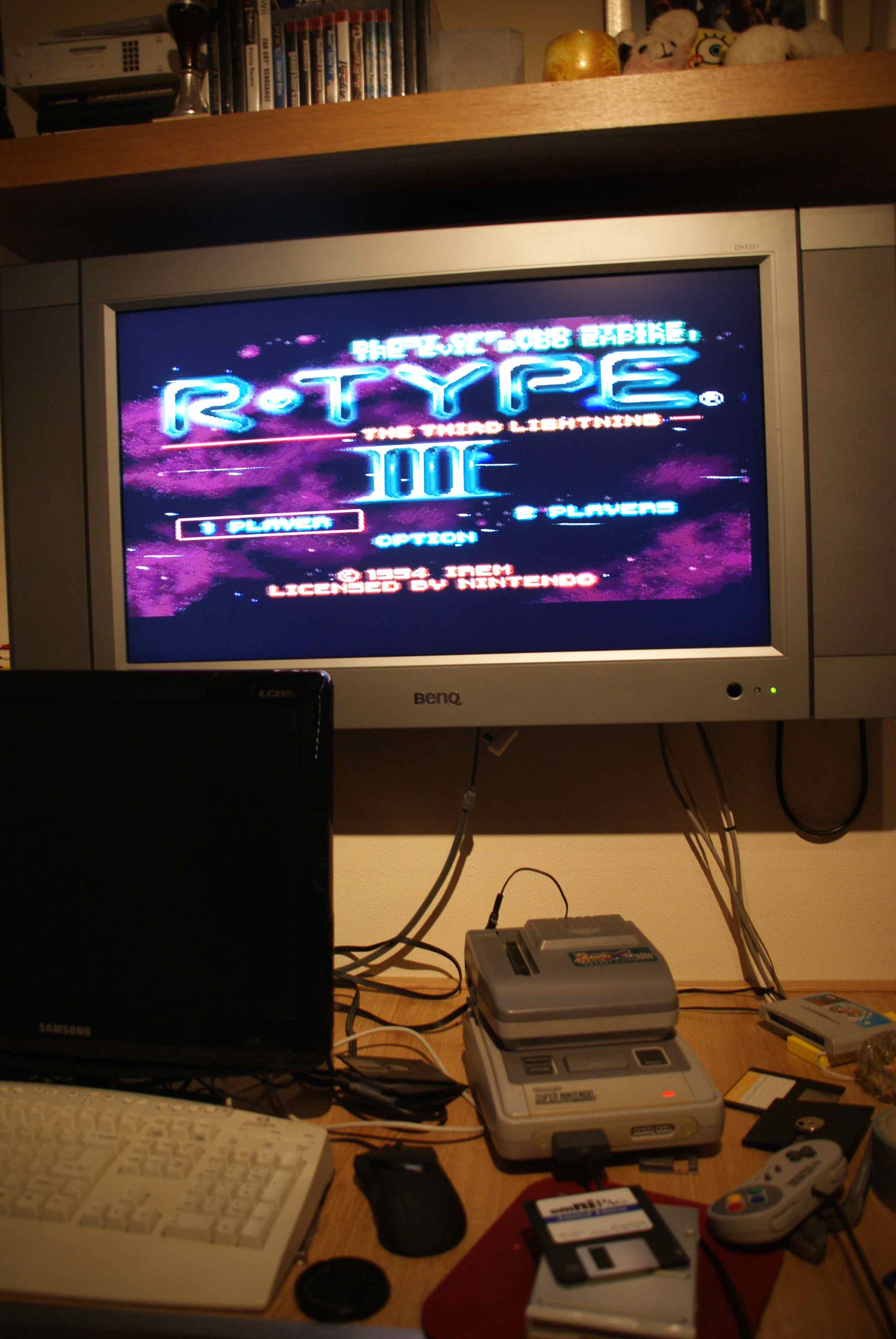
I bought this Pro Fighter X Turbo (with the 3 in 1 designation on green label so I figured it to be a '2'). It came with a (I think) non-original power supply, it gives 1200Ma 12V (also labelled 15w on adapter). Also this is a PAL machine.
I own a couple of original games and I tried to back-up my Mario Kart cart, and it worked (one disk). I tried to play it after a SPFXT2 power-off cycle and it worked (from 3,5"disk) without the original cart inserted offcourse.
After that I got a (legal) rom of Gradius III of the internet cause I wanted to try if that works (and the forum said it to be a one-disk-game). But it didn't work. I use a Sony 2xFDD external USB floppy drive (MPF88E-UA) and I tested with a zillion different old floppys, I figured one of them must work. but none of them did. I used the original .smc file also I tried converting the original with Ucon64 to .fig. Then I also tried forementioned files without extensions (cause the SPFXT2 also creates files without extension I saw). all failed 
The weird thing is when I take the ripped game on floppy from my SPFX2 and put it in my PC (USB floppy drive connected to Win-7 64bit ultimate) I can open the floppy and see the file as I named it on the SPFXT2 but when I try to delete it or overwrite it I get an error from windows "0x800706FG the disk media is not recognized".
I tried formatting the disks on the PC side with windows and winimage but to no avail. One time I got a `AGT-disk' reading on the SPFXT2's side but when I tried to load I got all jumbeled letters 'n stuff.
I read that you should use new floppies but I figured at least one of my old ones (amiga and PC) should work.
I can't find anything about this paricular problem on the forum and I hoped someone here can make me understand what's wrong
Last edited by DoneyOne on Mon Jun 13, 2011 7:32 pm; edited 1 time in total |
|
| Back to top |
|
 |
MottZilla
Joined: 08 Sep 2004
Posts: 765
|
| Posted: Mon Jun 13, 2011 3:54 am Post subject: |
|
|
The problem is the USB Floppy Drive you are using most likely. Try putting roms on disks on an older PC or just any PC with a normal Floppy Drive in it.
Also it is best to use ucon64 to convert to the proper format for your copier to avoid problems. For some games (including Gradius 3) it will probably be ok even if its SMC format.
|
|
| Back to top |
|
|
DoneyOne
Joined: 12 Jun 2011
Posts: 5
Location: Near Rotterdam, Holland.
|
| Posted: Mon Jun 13, 2011 2:52 pm Post subject: still no luck... |
|
|
Well I tried as you said, got my sisters superold PC and tried. The floppydrive doesn't accept 720kb formatted disk so I only could use the 6 1.44mb floppies I have here. None worked for me.
I'm gonna try to buy new floppies and see if that's the problem. thanks for your advice.
If anybody else has any other ideas I'd love to hear them...
|
|
| Back to top |
|
|
MottZilla
Joined: 08 Sep 2004
Posts: 765
|
| Posted: Mon Jun 13, 2011 5:20 pm Post subject: |
|
|
| Another thing to do that might help is formatting the disks in the Copier and just copying the file to the disk on the Old PC. Try to avoid the USB floppy drive until you get it working. Or atleast try with both USB and the built in Floppy drives as I really suspect the USB floppy drive to be at fault. Someone else recently had problems related to one.
|
|
| Back to top |
|
|
DoneyOne
Joined: 12 Jun 2011
Posts: 5
Location: Near Rotterdam, Holland.
|
| Posted: Mon Jun 13, 2011 7:29 pm Post subject: Tried it... |
|
|
Well I should have mentioned this earlier (I suppose) but I already tried formatting the disk on the PFXT2 side and then copying the game PC side -> failed, got the 0x800... error as I mentioned earlier.
Funny thing is though: When I put a game on a disk PC side and put it in the PFXT2 and then format it on PFXT2 I still see the copied game on the disk when I put it in my PC (game obviously still doesn't work). Just as though the PFXT2 didn't format anything. But I can't actually acces the file in anyway (rename, properties etc etc), but I get a different error saying the disk is damaged or something. This is probably a indicator my floppy drive inside the PFXT2 is faulty, or am I mistaken?
Well anyway, just ordered a 10 box of brand-new floppies from Germany (suppose good 'ol germans still using floppies). Will post back when I tried that. In the meantime, please post any suggestions you might have and thanks for the advice so far.. grtz Doney.
|
|
| Back to top |
|
|
MottZilla
Joined: 08 Sep 2004
Posts: 765
|
| Posted: Mon Jun 13, 2011 9:01 pm Post subject: |
|
|
| Well you said it worked well enough to write and reload a cartridge you dumped yourself. It could be the drive is so far out of alignment that the PC's drive is out of alignment in the other direction causing these problems. This would probably not be fun but if you want to you could take the floppy drive out of the Pro Fighter, put it in a PC, copy roms to disk, put the floppy drive back in the Pro Fighter and load them. It would probably work if the Pro Fighter was able to backup and reload a cartridge on its own.
|
|
| Back to top |
|
|
DoneyOne
Joined: 12 Jun 2011
Posts: 5
Location: Near Rotterdam, Holland.
|
|
| Back to top |
|
|
MottZilla
Joined: 08 Sep 2004
Posts: 765
|
| Posted: Wed Jun 15, 2011 1:42 am Post subject: |
|
|
| I'm glad you got it fixed. The old drive may have gotten too far out of alignment like I said. So it could read disks it made itself apparently but not from a drive in much better shape I guess. Enjoy the Copier. Even though they are obsolete these days they tend to be affordable and still very capable.
|
|
| Back to top |
|
|
DoneyOne
Joined: 12 Jun 2011
Posts: 5
Location: Near Rotterdam, Holland.
|
| Posted: Thu Jun 16, 2011 5:29 pm Post subject: .... |
|
|
Yeah that was it!! Now I can enjoy all the cool games on the snes, thanks.
Maybe usefull to other people: I have to use ucon64 to convert/split .smc files but I also have to give the generated files a real short filename (like 'RR' for example) and delete the .fix extension in order for it to work. With multi disk (split-) games the extension for disk one should be .1 and so on.
Now I only have to find a PFXT2 lid (the one over the cart connector) cause I broke mine and it's mint again (if anyone has one laying around contact me).
|
|
| Back to top |
|
|
|

 FAQ
FAQ Search
 Memberlist
 Usergroups
 Register
 Profile
 Log in to check your private messages
 Log in