| View previous topic :: View next topic |
| Author |
Message |
Ruger
Joined: 03 Jan 2007
Posts: 88
|
 Posted: Sat Feb 23, 2013 7:01 pm Post subject: Smart Bros MD GUI and MD adapter pinout Posted: Sat Feb 23, 2013 7:01 pm Post subject: Smart Bros MD GUI and MD adapter pinout |
 |
|
As promised - photos of SB MD GUI
| Description: |
|
| Filesize: |
227.59 KB |
| Viewed: |
6130 Time(s) |

|
| Description: |
|
| Filesize: |
207.31 KB |
| Viewed: |
6130 Time(s) |

|
Last edited by Ruger on Sun Feb 24, 2013 8:18 am; edited 1 time in total |
|
| Back to top |
|
 |
Ruger
Joined: 03 Jan 2007
Posts: 88
|
| Posted: Sat Feb 23, 2013 7:02 pm Post subject: |
|
|
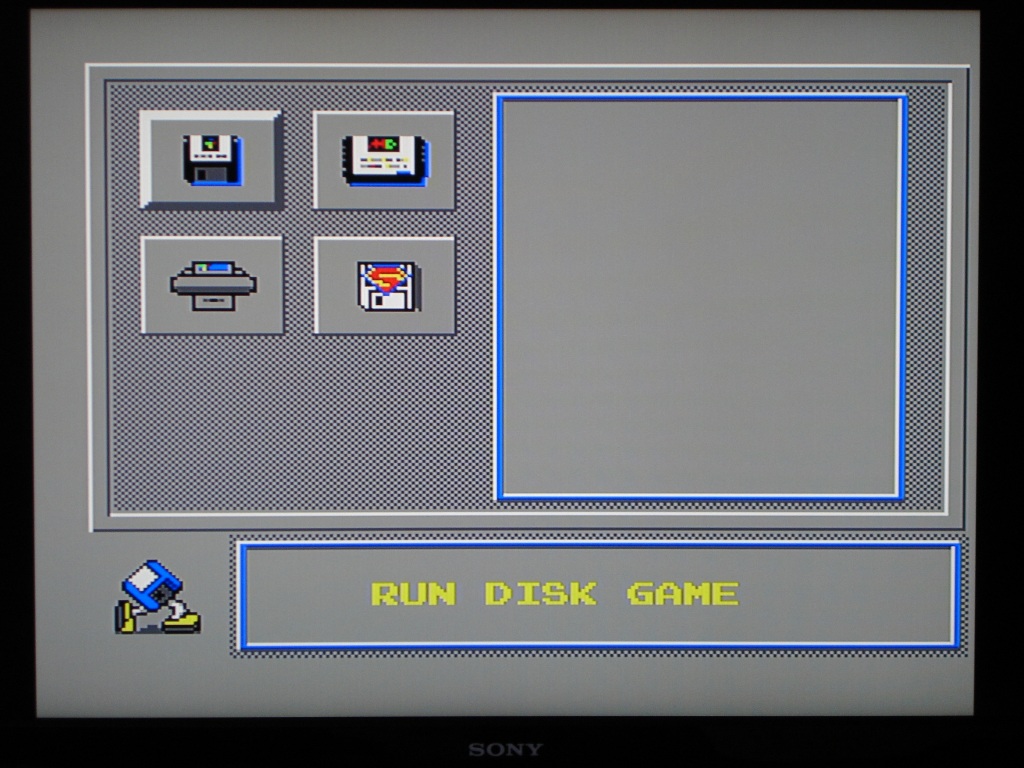
Submenu 1
| Description: |
1. RUN GAME
(RUN DISK GAME) (RUN CARD GAME)
(RUN MEMORY GAME) (GOLD FINGER) |
|
| Filesize: |
219.7 KB |
| Viewed: |
6129 Time(s) |
|
|
|
| Back to top |
|
|
Ruger
Joined: 03 Jan 2007
Posts: 88
|
| Posted: Sat Feb 23, 2013 7:03 pm Post subject: |
|
|
Submenu 2
| Description: |
2. LOAD DATA
(LOAD DATA TO SRAM) (LOAD DISK DATA)
(DUMP CARD DATA) (LOAD FROM CD ROM)
(LOAD FROM COMPUTER) (DIRECTORY LISTING) |
|
| Filesize: |
232.34 KB |
| Viewed: |
6128 Time(s) |

|
Last edited by Ruger on Sun Feb 24, 2013 8:22 am; edited 1 time in total |
|
| Back to top |
|
|
Ruger
Joined: 03 Jan 2007
Posts: 88
|
| Posted: Sat Feb 23, 2013 7:04 pm Post subject: |
|
|
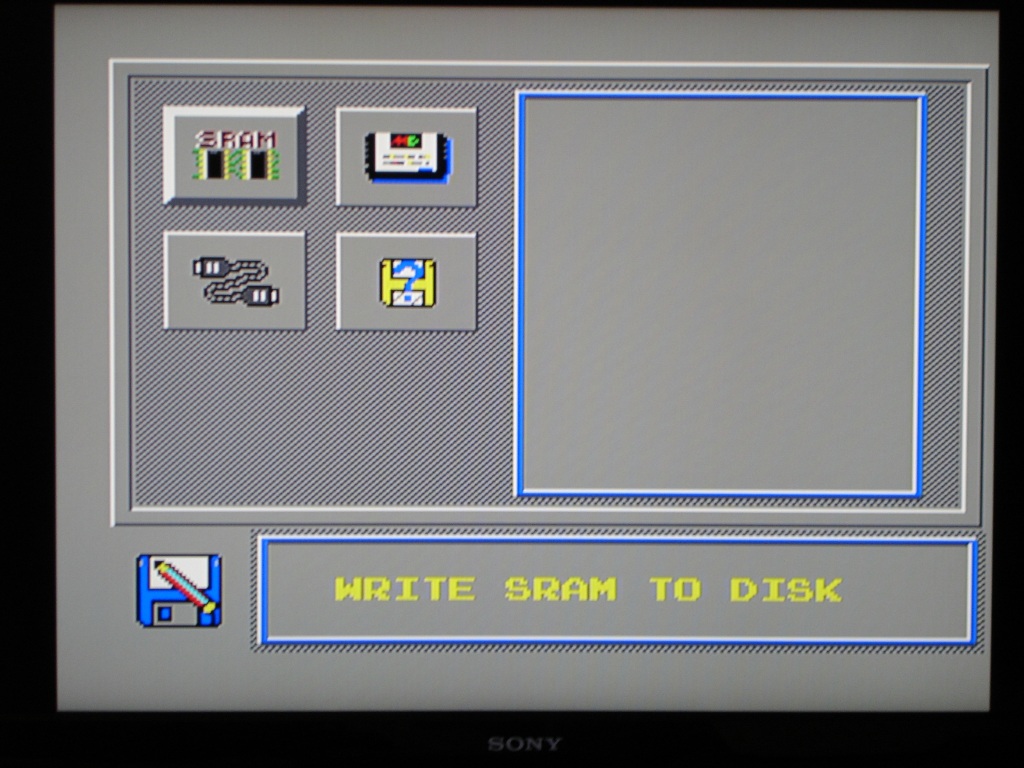
Submenu 3
| Description: |
3. WRITE DATA
(WRITE SRAM TO DISK) (SAVE IC CARD TO DISK)
(SAVE IC CARD TO PC) (DIRECTORY LISTING) |
|
| Filesize: |
203.31 KB |
| Viewed: |
6127 Time(s) |
|
|
|
| Back to top |
|
|
Ruger
Joined: 03 Jan 2007
Posts: 88
|
| Posted: Sat Feb 23, 2013 7:05 pm Post subject: |
|
|
Submenu 4
| Description: |
4. TOOLS
(FORMAT DISKETTE) (CHECK DISKETTE)
(CHECK IC CARD) (DELETE FILE)
(RENAME FILE) (COPY FILE) |
|
| Filesize: |
227.56 KB |
| Viewed: |
6126 Time(s) |

|
|
|
| Back to top |
|
|
Ruger
Joined: 03 Jan 2007
Posts: 88
|
| Posted: Sat Feb 23, 2013 7:06 pm Post subject: |
|
|
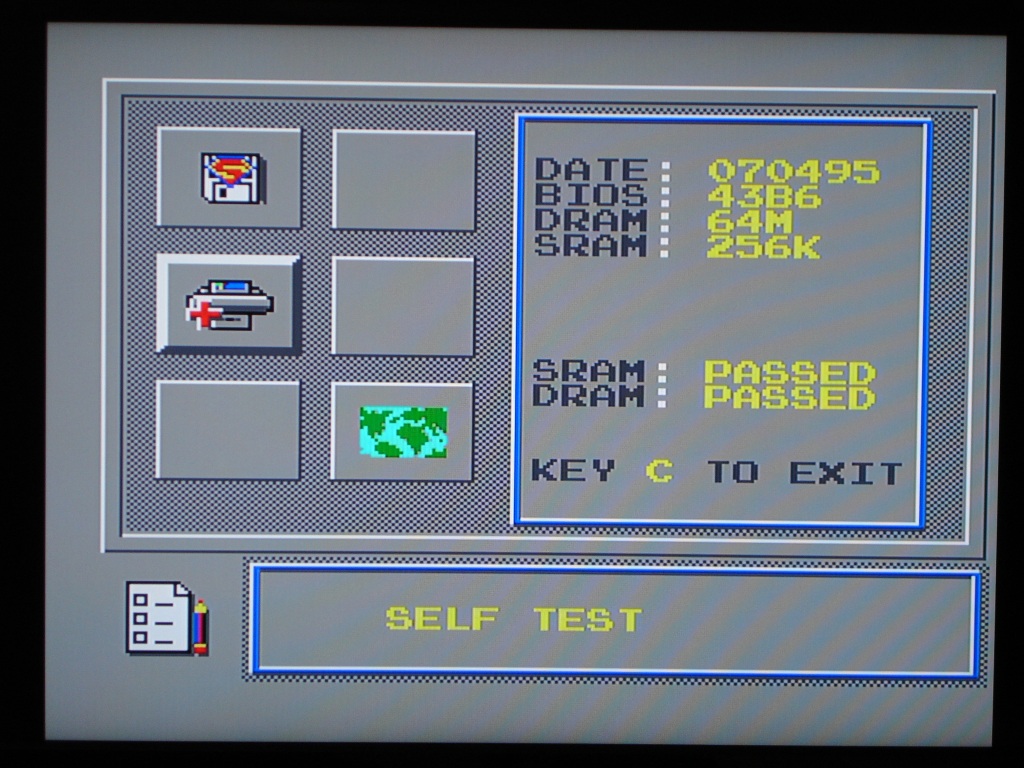
Submenu 5
| Description: |
5. CONFIG
(AUTO GOLD FINGER) (AUTO RUN)
(SELF TEST) (MODE)
(VARIFY CARD MEMORY) (CHANGE LANGUAGE) |
|
| Filesize: |
245.5 KB |
| Viewed: |
6123 Time(s) |
|
|
|
| Back to top |
|
|
kazmat
Joined: 18 Apr 2005
Posts: 123
|
| Posted: Sun Feb 24, 2013 2:31 am Post subject: |
|
|
Great!
Can you back up Super Street Fighter 2 cart (40M) ?
I hope you can upload PCB photo of MD adapter !!!!
Thanks
|
|
| Back to top |
|
|
Ruger
Joined: 03 Jan 2007
Posts: 88
|
| Posted: Sun Feb 24, 2013 7:47 am Post subject: |
|
|
Kazmat,
Back side A01-A32 are all pins straight through.
Front side B01-B32 are all pins straight through, except:
B12 is nc (cut) (Video)
B13 is nc (cut) (Vsync)
B14 is nc (cut) (Hsync)
B15 is nc (cut) (HS_CLK)
B19 is nc (cut) (CLK)
B1-B3 are all nc on the "console end" of the adapter.
On the "copier end" of the adapter B3 is nc, and B1-B2 are linked, like shown in the photo below.
I did not open the cart shell. I checked with a multimeter, and also took a good peak inside the shell for visual inspection, so I am pretty confident this is correct.
Hope this helps mate.
| Description: |
|
| Filesize: |
163.67 KB |
| Viewed: |
6060 Time(s) |

|
|
|
| Back to top |
|
|
kazmat
Joined: 18 Apr 2005
Posts: 123
|
| Posted: Tue Feb 26, 2013 1:06 pm Post subject: |
|
|
Thanks !!!
I will make adapter in this weekend.
|
|
| Back to top |
|
|
Ruger
Joined: 03 Jan 2007
Posts: 88
|
| Posted: Tue Feb 26, 2013 3:56 pm Post subject: |
|
|
| kazmat wrote: | | I will make adapter in this weekend. |
If there is anything you want me to check, just let me know mate.
|
|
| Back to top |
|
|
Mystic_Merlin
Joined: 15 Oct 2007
Posts: 533
Location: Bangkok
|
| Posted: Tue Feb 26, 2013 4:36 pm Post subject: |
|
|
Thanks a lot for your contribution Ruger. This is by far the best gui I have seen for a MD copier.
I see you can transfer to PC so I'm guessing there's an optiional transfer cart?
|
|
| Back to top |
|
|
Ruger
Joined: 03 Jan 2007
Posts: 88
|
| Posted: Tue Feb 26, 2013 5:16 pm Post subject: |
|
|
| Mystic_Merlin wrote: | | I see you can transfer to PC so I'm guessing there's an optiional transfer cart? |
Yes, if I press the menu choices for PC transfer or CD-ROM, the BIOS requests an IC card.
Kazmat - you tried the CCL CD-ROM cart on the SB without success? Did you also try the CCL parallell port cart on the SB?
|
|
| Back to top |
|
|
RGB_Gamer

Joined: 01 Oct 2007
Posts: 879
|
| Posted: Tue Feb 26, 2013 6:00 pm Post subject: |
|
|
| Can the CCL CD-ROM cart be cloned? What kind of a CD-ROM drive does it used and is the CD-ROM drive/cart compatible with other CCL copiers such as a Double Pro Fighter?
|
|
| Back to top |
|
|
Ruger
Joined: 03 Jan 2007
Posts: 88
|
| Posted: Tue Feb 26, 2013 6:18 pm Post subject: |
|
|
| RGB_Gamer wrote: | | Can the CCL CD-ROM cart be cloned? What kind of a CD-ROM drive does it used and is the CD-ROM drive/cart compatible with other CCL copiers such as a Double Pro Fighter? |
It's an interesting topic mate. Check out threads 2351 and 3209. I would suggest that we try to keep this thread SB related.
|
|
| Back to top |
|
|
Mystic_Merlin
Joined: 15 Oct 2007
Posts: 533
Location: Bangkok
|
|
| Back to top |
|
|
|

 FAQ
FAQ Search
 Memberlist
 Usergroups
 Register
 Profile
 Log in to check your private messages
 Log in


